%22%2F%3E%3Crect%20width%3D%22400%22%20height%3D%22400%22%20fill%3D%22url(%23g3)%22%2F%3E%3Crect%20width%3D%22400%22%20height%3D%22400%22%20fill%3D%22url(%23g2)%22%2F%3E%3Crect%20width%3D%22400%22%20height%3D%22400%22%20fill%3D%22url(%23g1)%22%2F%3E%3Cdefs%3E%3CradialGradient%20id%3D%22g1%22%20cx%3D%221%22%20cy%3D%220%22%20r%3D%220.7375%22%3E%3Cstop%20offset%3D%220%22%20stop-color%3D%22%23E9F3FF%22%20stop-opacity%3D%221%22%2F%3E%3Cstop%20offset%3D%220.0816%22%20stop-color%3D%22%23EAF4FF%22%20stop-opacity%3D%221%22%2F%3E%3Cstop%20offset%3D%220.1633%22%20stop-color%3D%22%23EBF4FF%22%20stop-opacity%3D%221%22%2F%3E%3Cstop%20offset%3D%220.2449%22%20stop-color%3D%22%23ECF5FF%22%20stop-opacity%3D%221%22%2F%3E%3Cstop%20offset%3D%220.3266%22%20stop-color%3D%22%23EDF5FF%22%20stop-opacity%3D%221%22%2F%3E%3Cstop%20offset%3D%220.4082%22%20stop-color%3D%22%23EEF6FF%22%20stop-opacity%3D%221%22%2F%3E%3Cstop%20offset%3D%220.4898%22%20stop-color%3D%22%23EFF6FF%22%20stop-opacity%3D%221%22%2F%3E%3Cstop%20offset%3D%220.5715%22%20stop-color%3D%22%23F0F7FF%22%20stop-opacity%3D%221%22%2F%3E%3Cstop%20offset%3D%220.6531%22%20stop-color%3D%22%23F1F7FF%22%20stop-opacity%3D%221%22%2F%3E%3Cstop%20offset%3D%220.6965%22%20stop-color%3D%22%23F1F7FF%22%20stop-opacity%3D%220.875%22%2F%3E%3Cstop%20offset%3D%220.7398%22%20stop-color%3D%22%23F1F7FF%22%20stop-opacity%3D%220.75%22%2F%3E%3Cstop%20offset%3D%220.7832%22%20stop-color%3D%22%23F1F7FF%22%20stop-opacity%3D%220.625%22%2F%3E%3Cstop%20offset%3D%220.8266%22%20stop-color%3D%22%23F1F7FF%22%20stop-opacity%3D%220.5%22%2F%3E%3Cstop%20offset%3D%220.8699%22%20stop-color%3D%22%23F1F7FF%22%20stop-opacity%3D%220.375%22%2F%3E%3Cstop%20offset%3D%220.9133%22%20stop-color%3D%22%23F1F7FF%22%20stop-opacity%3D%220.25%22%2F%3E%3Cstop%20offset%3D%220.9566%22%20stop-color%3D%22%23F1F7FF%22%20stop-opacity%3D%220.125%22%2F%3E%3Cstop%20offset%3D%221%22%20stop-color%3D%22%23F1F7FF%22%20stop-opacity%3D%220%22%2F%3E%3C%2FradialGradient%3E%3CradialGradient%20id%3D%22g2%22%20cx%3D%220%22%20cy%3D%221%22%20r%3D%220.7071%22%3E%3Cstop%20offset%3D%220%22%20stop-color%3D%22%23B3D4FF%22%20stop-opacity%3D%221%22%2F%3E%3Cstop%20offset%3D%220.125%22%20stop-color%3D%22%23B3D4FF%22%20stop-opacity%3D%220.875%22%2F%3E%3Cstop%20offset%3D%220.25%22%20stop-color%3D%22%23B3D4FF%22%20stop-opacity%3D%220.75%22%2F%3E%3Cstop%20offset%3D%220.375%22%20stop-color%3D%22%23B3D4FF%22%20stop-opacity%3D%220.625%22%2F%3E%3Cstop%20offset%3D%220.5%22%20stop-color%3D%22%23B3D4FF%22%20stop-opacity%3D%220.5%22%2F%3E%3Cstop%20offset%3D%220.625%22%20stop-color%3D%22%23B3D4FF%22%20stop-opacity%3D%220.375%22%2F%3E%3Cstop%20offset%3D%220.75%22%20stop-color%3D%22%23B3D4FF%22%20stop-opacity%3D%220.25%22%2F%3E%3Cstop%20offset%3D%220.875%22%20stop-color%3D%22%23B3D4FF%22%20stop-opacity%3D%220.125%22%2F%3E%3Cstop%20offset%3D%221%22%20stop-color%3D%22%23B3D4FF%22%20stop-opacity%3D%220%22%2F%3E%3C%2FradialGradient%3E%3CradialGradient%20id%3D%22g3%22%20cx%3D%221%22%20cy%3D%221%22%20r%3D%221.1037%22%3E%3Cstop%20offset%3D%220%22%20stop-color%3D%22%23E3F0FF%22%20stop-opacity%3D%221%22%2F%3E%3Cstop%20offset%3D%220.1237%22%20stop-color%3D%22%23E3F0FF%22%20stop-opacity%3D%221%22%2F%3E%3Cstop%20offset%3D%220.2475%22%20stop-color%3D%22%23E3F0FF%22%20stop-opacity%3D%221%22%2F%3E%3Cstop%20offset%3D%220.3712%22%20stop-color%3D%22%23E3F0FF%22%20stop-opacity%3D%221%22%2F%3E%3Cstop%20offset%3D%220.495%22%20stop-color%3D%22%23E3F0FF%22%20stop-opacity%3D%221%22%2F%3E%3Cstop%20offset%3D%220.6188%22%20stop-color%3D%22%23E3F0FF%22%20stop-opacity%3D%221%22%2F%3E%3Cstop%20offset%3D%220.7425%22%20stop-color%3D%22%23E3F0FF%22%20stop-opacity%3D%221%22%2F%3E%3Cstop%20offset%3D%220.8662%22%20stop-color%3D%22%23E3F0FF%22%20stop-opacity%3D%221%22%2F%3E%3Cstop%20offset%3D%220.99%22%20stop-color%3D%22%23E3F0FF%22%20stop-opacity%3D%221%22%2F%3E%3Cstop%20offset%3D%220.9912%22%20stop-color%3D%22%23E3F0FF%22%20stop-opacity%3D%220.875%22%2F%3E%3Cstop%20offset%3D%220.9925%22%20stop-color%3D%22%23E3F0FF%22%20stop-opacity%3D%220.75%22%2F%3E%3Cstop%20offset%3D%220.9938%22%20stop-color%3D%22%23E3F0FF%22%20stop-opacity%3D%220.625%22%2F%3E%3Cstop%20offset%3D%220.995%22%20stop-color%3D%22%23E3F0FF%22%20stop-opacity%3D%220.5%22%2F%3E%3Cstop%20offset%3D%220.9962%22%20stop-color%3D%22%23E3F0FF%22%20stop-opacity%3D%220.375%22%2F%3E%3Cstop%20offset%3D%220.9975%22%20stop-color%3D%22%23E3F0FF%22%20stop-opacity%3D%220.25%22%2F%3E%3Cstop%20offset%3D%220.9988%22%20stop-color%3D%22%23E3F0FF%22%20stop-opacity%3D%220.125%22%2F%3E%3Cstop%20offset%3D%221%22%20stop-color%3D%22%23E3F0FF%22%20stop-opacity%3D%220%22%2F%3E%3C%2FradialGradient%3E%3ClinearGradient%20id%3D%22wash%22%20x1%3D%220%22%20y1%3D%220%22%20x2%3D%220%22%20y2%3D%221%22%3E%3Cstop%20offset%3D%220%22%20stop-color%3D%22%23FFFFFF%22%20stop-opacity%3D%221%22%2F%3E%3Cstop%20offset%3D%220.0625%22%20stop-color%3D%22%23FBFDFF%22%20stop-opacity%3D%221%22%2F%3E%3Cstop%20offset%3D%220.125%22%20stop-color%3D%22%23F7FBFF%22%20stop-opacity%3D%221%22%2F%3E%3Cstop%20offset%3D%220.1875%22%20stop-color%3D%22%23F3F8FF%22%20stop-opacity%3D%221%22%2F%3E%3Cstop%20offset%3D%220.25%22%20stop-color%3D%22%23EFF6FF%22%20stop-opacity%3D%221%22%2F%3E%3Cstop%20offset%3D%220.3125%22%20stop-color%3D%22%23EBF4FF%22%20stop-opacity%3D%221%22%2F%3E%3Cstop%20offset%3D%220.375%22%20stop-color%3D%22%23E7F2FF%22%20stop-opacity%3D%221%22%2F%3E%3Cstop%20offset%3D%220.4375%22%20stop-color%3D%22%23E3EFFF%22%20stop-opacity%3D%221%22%2F%3E%3Cstop%20offset%3D%220.5%22%20stop-color%3D%22%23DFEDFF%22%20stop-opacity%3D%221%22%2F%3E%3Cstop%20offset%3D%220.5625%22%20stop-color%3D%22%23DFEDFF%22%20stop-opacity%3D%221%22%2F%3E%3Cstop%20offset%3D%220.625%22%20stop-color%3D%22%23DFEDFF%22%20stop-opacity%3D%221%22%2F%3E%3Cstop%20offset%3D%220.6875%22%20stop-color%3D%22%23DFEDFF%22%20stop-opacity%3D%221%22%2F%3E%3Cstop%20offset%3D%220.75%22%20stop-color%3D%22%23DFEDFF%22%20stop-opacity%3D%221%22%2F%3E%3Cstop%20offset%3D%220.8125%22%20stop-color%3D%22%23DFEDFF%22%20stop-opacity%3D%221%22%2F%3E%3Cstop%20offset%3D%220.875%22%20stop-color%3D%22%23DFEDFF%22%20stop-opacity%3D%221%22%2F%3E%3Cstop%20offset%3D%220.9375%22%20stop-color%3D%22%23DFEDFF%22%20stop-opacity%3D%221%22%2F%3E%3Cstop%20offset%3D%221%22%20stop-color%3D%22%23DFEDFF%22%20stop-opacity%3D%221%22%2F%3E%3C%2FlinearGradient%3E%3C%2Fdefs%3E%3C%2Fsvg%3E)
How to check in online with Wizz Air
Check how much the airline owes you.
It's free and takes 2 minutes.
We help you enforce your passenger rights
Flights from last 3 years
Covers global and EU routes
We handle negotiations

With Wizz Air, checking in online is free and checking in at the airport isn't. You can do it on the Wizz Air website or in the WIZZ app, and how far ahead you can start depends on whether you paid for a seat when you booked.
Below we cover when online check-in opens and closes, what you'll need to have to hand, how to work through it step by step, what airport check-in costs and what to do once you reach the airport.
At a glance
Wizz Air online check-in
Check-in opens online 30 days before departure if you paid for a seat, and 24 hours before if you didn't.
In both cases it closes 3 hours before your scheduled departure time.
Checking in online is free, on the Wizz Air website or app. Checking in at the airport comes at a cost.
Once you've checked in, your boarding card can be printed or kept in the app, though a few airports don't support the mobile version.
Auto Check-in is available for a fee: Wizz Air checks you in 50 hours before departure and emails your boarding card.
At London Luton you can drop your bags off the evening before, between 21:00 and 02:00, for flights departing up to 09:00 the next morning.
What you'll need to check in online with Wizz Air
Before you start, make sure you have the following to hand:
your confirmation code, which Wizz Air emails you when you book;
the passenger's last name, exactly as it appears on the booking;
your passport, or whichever travel document your destination requires. Wizz Air asks for the details during check-in on any journey other than travel within the Schengen area, so you'll normally need them on a flight leaving the UK.
If you have a WIZZ Account, you can log in on the website or in the app and pick your booking up from there, rather than entering the details by hand.
Do take care over which document you enter, as you're then committed to it. Wizz Air asks you to turn up at the airport with the same one you used to check in: enter a national ID number and you can't then travel on your passport, or the other way round.
Wizz Air online check-in, step by step
Wizz Air online check-in takes only a few minutes and can be completed free of charge from the airline's official website or app. Once the procedure is complete, you can print your boarding pass or keep it in digital format.
To check in online with Wizz Air:
Go to the Wizz Air website (to "Find booking") or open the app: if you have a WIZZ Account, your booking is already there.
Enter the confirmation code and the passenger's surname to retrieve the booking.
Select the flight you want to check in for.
Verify the passenger details. For some destinations, you may also be asked to enter your travel document details.
Confirm the check-in: your boarding pass is ready. You can download and print it, or keep it in the app.
As mentioned above, online check-in can be completed via web or app, but there's also the option to do it automatically. Find out below the differences between the three methods.
When to check in online with Wizz Air
When Wizz Air online check-in opens depends on whether you've paid for a seat.
With a seat
Opens 30 days before departure
Without a seat
Opens 24 hours before departure
Check-in closes
3 hours before departure, either way
With a seat, check-in opens 30 days before departure. Without one, you wait until 24 hours before. Either way, check-in shuts 3 hours before your scheduled departure time.
Do keep the online closing time separate from the airport desk hours, as they're two different deadlines. Online check-in closes 3 hours before departure. The desks run to their own timetable, which we come to further down.
What happens if you don't check in online with Wizz Air
If you haven't checked in online by the time the window closes, check-in is still available at the airport, though it isn't free. The price depends on when it's bought:
bought in advance through wizzair.com, at the time of booking or later, it costs €13.00 per passenger, per flight;
bought at the desk on the day, it costs €40 to €50 per passenger, per flight.
Online check-in is free, airport check-in isn't, and leaving it to the desk is the most expensive way round. Amounts verified in August 2026.
At a handful of airports online check-in isn't available at all. In those cases airport check-in is free.
Wizz Air boarding pass: printed or on your phone?
Once you've checked in, you can choose which format to keep your Wizz Air boarding card in. There are two options:
print it on paper;
or keep it on your phone, either in the WIZZ app or saved to your phone's wallet.
Either way the boarding card stays retrievable, from the app or by finding your booking again on wizzair.com.
One thing worth checking before you leave: not every airport accepts a boarding card on a phone screen. Where that's the case the mobile version isn't generated at all, so you'll need to find your booking on the website and print the paper one. On the Wizz Air check-in page there's a tool that tells you, airport by airport, whether the mobile boarding card works on your route.
What to do at the airport
What you need to do at the airport depends on your baggage.
If you're travelling with checked baggage, you'll need to hand it in at the baggage drop-off desk. The desks usually open 2 hours and close 40 minutes before departure, though some airports work to different times: at London Luton they open 3 hours and close 1 hour before. It's worth checking your own airport on the Wizz Air website.
If you're travelling with hand luggage only and already have your boarding card, in most cases you can go straight to security.
At London Luton there's a third option if you're flying early: twilight drop-off lets you hand in your baggage the evening before. The desks are open from 21:00 to 02:00, at check-in desks 10 and 11, and the service covers all Wizz Air flights departing up to 09:00 the following morning.
Remember the deadlines. The gate normally closes 30 minutes before departure, and missing it puts you at risk of denied boarding. Do also bear in mind that if you hold a non-EU travel document, you'll need to go to the check-in desk to have it checked and your boarding card stamped, even with online check-in already done.
What happens if your flight is disrupted after check-in
You checked in in good time, you got to the gate when you were meant to, and your booking was confirmed. Even so, a delay, a cancellation or an overbooked flight can still get in the way of your plans.
If that happens and the airline is responsible, UK261 entitles you to compensation of up to £520 per passenger, depending on how far you were due to fly. The rules cover every flight departing from a UK airport, whichever airline you're travelling with.
If your Wizz Air flight departs from an airport in the EU, the equivalent European rules apply instead, under Regulation EC 261/2004.
Being turned away at the gate is covered too: our guide to denied boarding sets out where you stand. And to see what you may be owed for your own flight, start with our Wizz Air compensation page.
Keeping track of your Wizz Air flight
With check-in out of the way, all that's left is the wait. It's well worth keeping an eye on your flight status in the meantime, particularly if you have a connection to make or someone meeting you at the other end.
The WIZZ app will keep you posted on your own flight, and you can also check the status on wizzair.com by flight number or by airport.
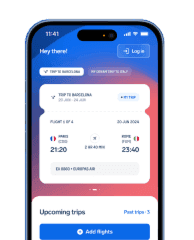
You could also use the free AirHelp app, which does one thing more: if your flight is delayed by more than 3 hours, is cancelled, or you're denied boarding, the app checks automatically whether you're entitled to compensation under UK261/EC 261 and lets you know.
With the AirHelp app you can:
receive real-time notifications about delays, cancellations, gate changes and baggage reclaim;
scan your boarding pass to add your flight quickly;
share your flight status with whoever is picking you up;
automatically check whether a disruption entitles you to compensation of up to £520;
start your compensation claim straight from the app, with no paperwork.
The app is free and available on iOS and Android.
Wizz Air online check-in: your questions answered
In Summary
To check in online with Wizz Air you need your confirmation code and the passenger's last name. It's free, on the Wizz Air website or in the WIZZ app, and it opens 30 days before departure if you paid for a seat, or 24 hours before if you didn't. In both cases it closes 3 hours before your scheduled departure time. Auto Check-in does the job for you, for a fee, 50 hours before departure.
Your boarding card can be printed or kept on your phone, though a few airports don't accept the mobile version. With hand luggage only you can in most cases go straight to security; with baggage to check in, you'll need the drop-off desk before it closes. At London Luton you can hand your bags in the evening before, between 21:00 and 02:00.
If you don't check in online, you can still do it at the airport, but the service comes at a cost, and buying it in advance through wizzair.com works out a good deal cheaper than paying at the desk on the day.
AirHelp is an independent passenger rights service and is in no way affiliated or in partnership with Wizz Air. The information in this guide was gathered from Wizz Air's official pages and is up to date as of August 2026. Since times, rules and procedures can change, we invite you to always check the most up-to-date conditions directly on the official Wizz Air website.
Recent delays and cancellations
| Date | Flight number | Airline | Route | Status | |
|---|---|---|---|---|---|
03/10/202606:05 | W62232 | Wizz Air | Podgorica (TGD) Budapest (BUD) | Cancelled | Check Compensation |
03/10/202605:50 | W67034 | Wizz Air | Basel, Switzerland/Mulhouse (BSL) Bratislava (BTS) | Cancelled | Check Compensation |
03/10/202605:45 | W61732 | Wizz Air | Stockholm (ARN) Gdansk (GDN) | Cancelled | Check Compensation |
03/10/202605:45 | W64362 | Wizz Air | Bari (BRI) Sofia (SOF) | Cancelled | Check Compensation |
03/10/202605:00 | W67513 | Wizz Air | Tel Aviv-Yafo (TLV) Thessaloniki (SKG) | Cancelled | Check Compensation |
03/10/202604:45 | W64731 | Wizz Air | Skopje (SKP) Basel, Switzerland/Mulhouse (BSL) | Cancelled | Check Compensation |
03/10/202604:30 | W62025 | Wizz Air | Krakow (KRK) Verona (VRN) | Cancelled | Check Compensation |
03/10/202604:30 | W61737 | Wizz Air | Gdansk (GDN) Rijeka (RJK) | Cancelled | Check Compensation |
03/10/202604:25 | W61069 | Wizz Air | Katowice (KTW) Eindhoven (EIN) | Cancelled | Check Compensation |
03/10/202604:15 | W62271 | Wizz Air | Budapest (BUD) Eindhoven (EIN) | Cancelled | Check Compensation |
- W62232•Wizz Air
Cancelled
Podgorica••BudapestTGDBUD03/10/202606:05Check Compensation - W67034•Wizz Air
Cancelled
Basel, Switzerland/Mulhouse••BratislavaBSLBTS03/10/202605:50Check Compensation - W61732•Wizz Air
Cancelled
Stockholm••GdanskARNGDN03/10/202605:45Check Compensation - W64362•Wizz Air
Cancelled
Bari••SofiaBRISOF03/10/202605:45Check Compensation - W67513•Wizz Air
Cancelled
Tel Aviv-Yafo••ThessalonikiTLVSKG03/10/202605:00Check Compensation - W64731•Wizz Air
Cancelled
Skopje••Basel, Switzerland/MulhouseSKPBSL03/10/202604:45Check Compensation - W62025•Wizz Air
Cancelled
Krakow••VeronaKRKVRN03/10/202604:30Check Compensation - W61737•Wizz Air
Cancelled
Gdansk••RijekaGDNRJK03/10/202604:30Check Compensation - W61069•Wizz Air
Cancelled
Katowice••EindhovenKTWEIN03/10/202604:25Check Compensation - W62271•Wizz Air
Cancelled
Budapest••EindhovenBUDEIN03/10/202604:15Check Compensation


