- Blog
- Flight Terminology & Logistics
- What Is Flight Mode and How Does It Work?
What Is Flight Mode and How Does It Work?
Last updated on 20 January 2026
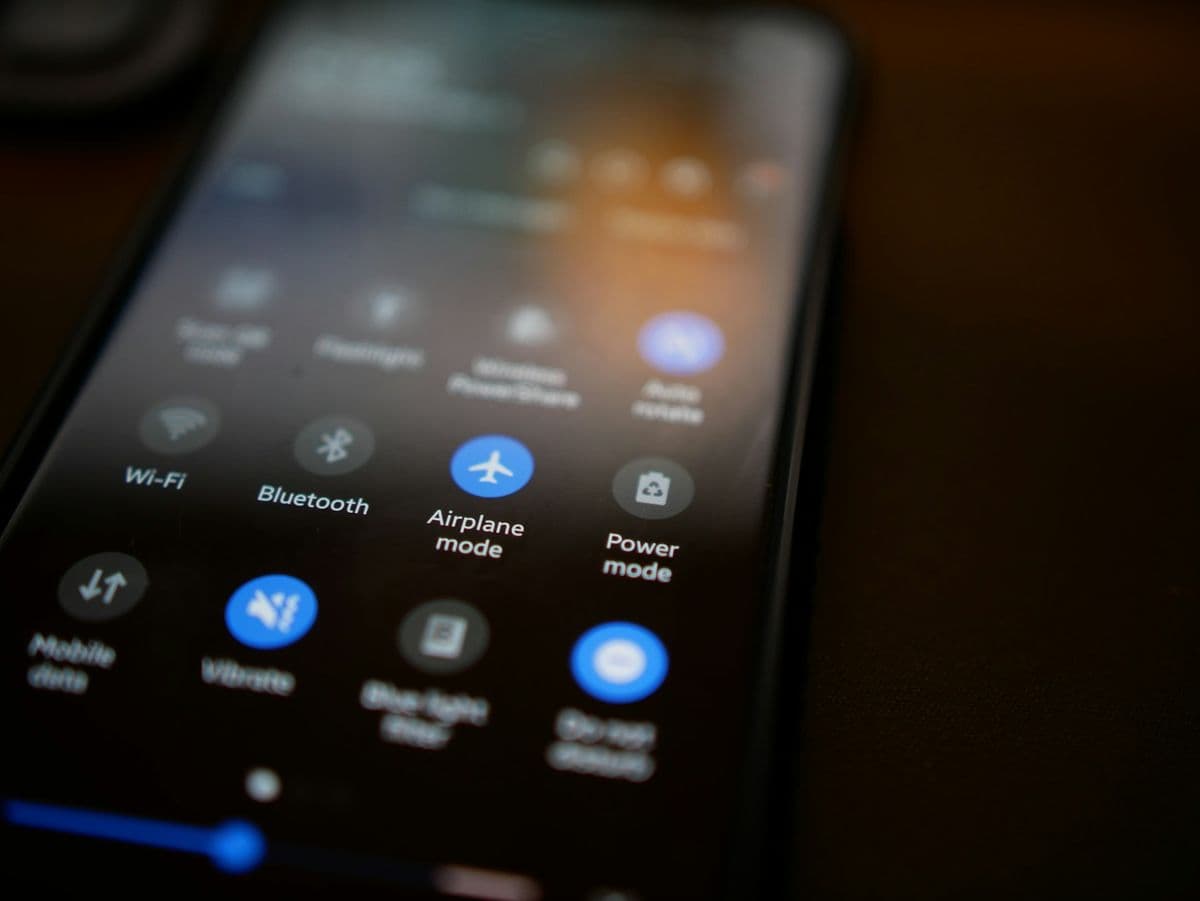
Flight mode—also known as airplane mode—is one of those phone features almost everyone has used, yet few people fully understand. Most of us tap the little airplane icon when we board a flight, without giving much thought to what it actually does or why it matters. But flight mode isn’t just about following airline rules—it’s a practical tool that can help you save battery, reduce distractions, and stay in control of your device.
In this article, we’ll break down what flight mode is, how it works, and when it’s useful both in the air and on the ground. Whether you’re a first-time flyer or just curious about getting more out of your phone, understanding flight mode can make your travel—and everyday tech use—a lot smoother.
What is flight mode on a phone?
Flight mode is a built-in setting on phones and other devices that temporarily turns off all wireless connections. When you switch it on, your phone stops sending and receiving cellular signals, Wi-Fi, and Bluetooth. You can still use plenty of features that don’t rely on a connection, like playing offline games, listening to downloaded music, or taking notes—perfect for times when signals could cause interference.
You may have also heard it called airplane mode. There’s no difference at all—it’s the same feature with two names, depending on the device or region. While it originally appeared on mobile phones, flight (or airplane) mode is now common on tablets, smartwatches, and laptops too, all designed to do the same thing: pause wireless communication when needed.

Image by ClickerHappy from Pixabay.
What does flight mode do to your device?
When you turn on flight mode, your device temporarily shuts down its wireless communication features. This happens at a system level, meaning the device stops sending signals that connect it to networks or nearby devices. It’s designed to prevent interference during flights, but it’s also useful anytime you want fewer distractions or better battery efficiency.
Cellular (calls, texts, and mobile data)
Flight mode completely disconnects your phone from cell towers. You won’t be able to make or receive calls, send text messages, or use mobile data. If someone calls you while flight mode is on, the call goes straight to voicemail.
Wi-Fi
Wi-Fi is turned off when flight mode is activated, so your device disconnects from any networks and stops searching for new ones. On most modern devices, you can manually turn Wi-Fi back on while keeping flight mode enabled—handy for in-flight internet.
Bluetooth
Bluetooth is also disabled by default, which disconnects wireless accessories like earbuds, keyboards, or smartwatches. Like Wi-Fi, Bluetooth can usually be turned back on without exiting flight mode.
GPS
GPS works differently because it mainly receives signals instead of sending them. Flight mode may still allow limited GPS use, such as offline maps, but location accuracy can be reduced without an internet or data connection.
How to find and manage flight mode settings
Flight mode is easy to find on most modern devices, though the exact steps vary slightly depending on what you’re using. Below is a clear guide for the most common platforms.
iPhone and iPad
On Apple devices, flight mode is available in both Control Center and Settings.
Control Center: Swipe down from the top-right corner (or swipe up from the bottom on older models), then tap the airplane icon. When it turns orange, flight mode is on.
Settings: Open Settings and toggle Airplane Mode at the top of the list.
Android and Samsung devices
Android phones use the Quick Settings panel for fast access.
Quick Settings: Swipe down from the top of the screen (sometimes twice) and tap Flight mode or Airplane mode.
Settings:
Samsung: Settings > Connections
Pixel and others: Settings > Network & Internet
Laptops and computers
Windows laptops
Click the Wi-Fi or network icon in the taskbar and select Airplane mode.
You can also find it in Settings > Network & Internet.
MacBooks
macOS doesn’t include a single flight mode switch. To get the same result, manually turn off Wi-Fi and Bluetooth from the menu bar or System Settings.
Wearables and accessories
Smartwatches
Apple Watch: Swipe up to open Control Center and tap the airplane icon.
Android-based watches: Open Quick Settings and toggle airplane mode.
Hearing aids
Many Bluetooth hearing aids include a flight mode to save battery by stopping constant phone searches. This is usually controlled through the manufacturer’s app.
Smart rings
Devices like the Oura Ring allow airplane mode through their companion apps, pausing Bluetooth syncing and significantly extending battery life.
Turning flight mode on and off during a flight
Flight crews will let you know when it’s time to enable or disable flight mode. Most devices make this quick with an airplane icon shortcut, and you can always use your settings menu if you don’t see it right away.
Once you know where to look, managing flight mode becomes second nature—whether you’re flying, saving battery, or just unplugging for a bit.

Image by ClickerHappy from Pixabay.
What can you do in airplane mode?
Airplane mode doesn’t mean boredom. With a little prep, you can keep yourself busy, relaxed, or even productive—no internet required.
1. Watch downloaded movies or shows
Most streaming apps like Netflix, Amazon Prime, and Hulu let you download content ahead of time. Load up your favorites before you go and enjoy them offline once airplane mode is on. You can even download them to a tablet or laptop for a bigger screen and better battery life.
2. Listen to music, audiobooks, or podcasts
If you use Spotify, Apple Music, YouTube Music, or similar apps, downloading playlists, audiobooks, or podcast episodes is a must. Refresh your library before the trip so you’re not stuck replaying the same tracks mid-flight.
3. Read e-books or saved articles
Turn your device into a portable library. Download books, articles, or PDFs ahead of time from platforms like Amazon or Kobo and enjoy uninterrupted reading wherever you are.
4. Take photos and videos
Airplane mode doesn’t affect your camera at all. You can still capture window views, travel moments, or scenery on a hike—while saving battery at the same time.
5. Use offline maps and navigation
Some navigation apps allow offline maps, even in airplane mode. Download maps in advance for the areas you’ll visit, which is especially useful when conserving battery or protecting your privacy.
6. Play offline games
Plenty of mobile games work without an internet connection. Whether it’s puzzles, strategy games, or classics, airplane mode is perfect for distraction-free gaming.
7. Connect to in-flight Wi-Fi
Many airlines offer onboard Wi-Fi. Even in airplane mode, you can turn Wi-Fi back on to browse, message, or stream (depending on the service and speed).
8. Organize your phone
Flights are a great time to clean house. Delete unused apps, sort photos, clear old notes, and free up storage—it’s oddly satisfying and helps pass the time.
9. Practice a new language
Language apps like Duolingo offer offline lessons. A short flight is enough to learn a few useful phrases, and regular trips can really add up over time.
10. Meditate and unwind
Download a meditation or mindfulness app before switching on airplane mode. Whether it’s guided breathing, calming music, or quiet reflection, it’s a great way to relax and reset.
Advantages of airplane mode on the ground: battery, focus, and privacy
Airplane mode isn’t just for flights—it’s a surprisingly useful tool on the ground too. By cutting off wireless connections, your phone stops constantly searching for signal, which reduces power use and helps your battery last longer. This is especially helpful in places with weak reception, like basements, elevators, or underground transport, where phones tend to drain quickly.
It’s also an easy way to reclaim your attention. With notifications paused, airplane mode lets you focus during meetings, study sessions, or downtime. Plus, it reduces the risk of your phone automatically connecting to unsecured public Wi-Fi networks. When you need true silence without turning your phone off, airplane mode does the job instantly.
When to use airplane mode on the ground
Areas with very poor signal (to avoid battery drain)
Meetings, movies, or focused work sessions
Emergency situations when you need your phone to charge as fast as possible
Driving, to reduce distractions
Bedtime, for uninterrupted rest
How to use airplane mode effectively (Android & iPhone)
Turning it on takes seconds using Quick Settings (Android) or Control Center (iOS). Once enabled, you can choose what to turn back on:
Wi-Fi: Re-enable it if you’re connecting to a trusted network
Bluetooth: Turn it back on for headphones or wearables
Mobile data: Leave it off unless you need immediate internet access
Pro tip: If your connection feels slow or unstable, switch airplane mode on for 5–10 seconds, then turn it off. This refreshes your network connection without restarting your phone.
Extra benefits of using airplane mode
Faster charging: With network activity paused, devices often charge more quickly
Data control: Prevent accidental data use or roaming charges while traveling
Better gaming and media: Enjoy offline games or downloaded shows without interruptions
Improved privacy: Fewer background connections mean less passive data sharing
Even with airplane mode on, most devices let you manually re-enable Wi-Fi or Bluetooth when needed. This gives you the best of both worlds: fewer distractions and better battery life, with connectivity available on your terms.
Airplane mode isn’t about disconnecting completely—it’s about staying in control.
From understanding flight mode to knowing your passenger rights
By now, you’ve got a solid handle on the essentials of flying—from what flight mode does and why it matters, to how to prepare your device for takeoff. But flying isn’t just about what happens on your phone or in your seat. It’s also about knowing what to do when things don’t go exactly as planned.
Most flights run smoothly, but delays, cancellations, missed connections, overbooked planes, and baggage issues are all part of modern air travel. If you’re new to flying, these situations can feel overwhelming—especially if you’re unsure what the airline owes you or what steps to take next.
That’s where air passenger rights come in. Across the UK, EU, Iceland, Norway, and Switzerland, strong consumer protection laws apply to most flights, whether you’re flying with a low-cost carrier or a full-service airline. These rules are designed to ensure fair treatment, no matter the ticket price.
Passenger protections may include:
Flight cancellations: A refund or rebooking, and in many cases compensation of up to £520
Long delays (3+ hours): Meals, refreshments, accommodation when required, and possible compensation
Denied boarding due to overbooking: Immediate compensation and an alternative flight
Baggage issues: Reimbursement for lost, delayed, or damaged luggage—often up to about £1,550 under international agreements
So once you’ve mastered the basics and settled into your seat, there’s one more thing worth knowing: your rights as a passenger. Being informed doesn’t just make you a smarter traveler—it gives you confidence and peace of mind when the unexpected happens.


